 Illustrator YOYO 8
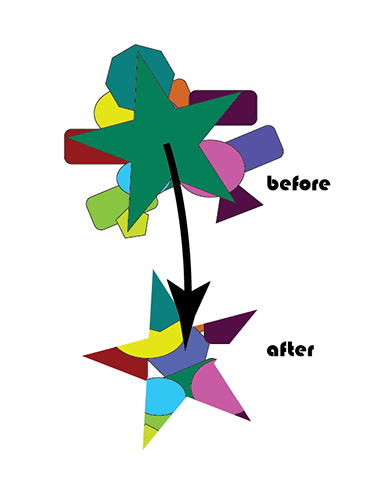
Create the AFTER picture in Illustrator:
INSTRUCTIONS and HINTS:
Create a New Illustrator Document.
Use the Type Tool to write your name at the top.
Draw a bunch of random shapes with various Shape Tools. Color and Stroke them with random colors.
Draw a large star on the top of them.
Select all of the objects (including the star on top) and make them into a Clipping Mask Object.
Done!
Turn It In!!!
TURN IT IN THROUGH GOOGLE CLASSROM.